AI agents · Data governance
How AI Agents Can Operate Governed Data Tools
Treat the agent as a permissioned operator: give it bounded capabilities, explicit data access and artefacts people can review.
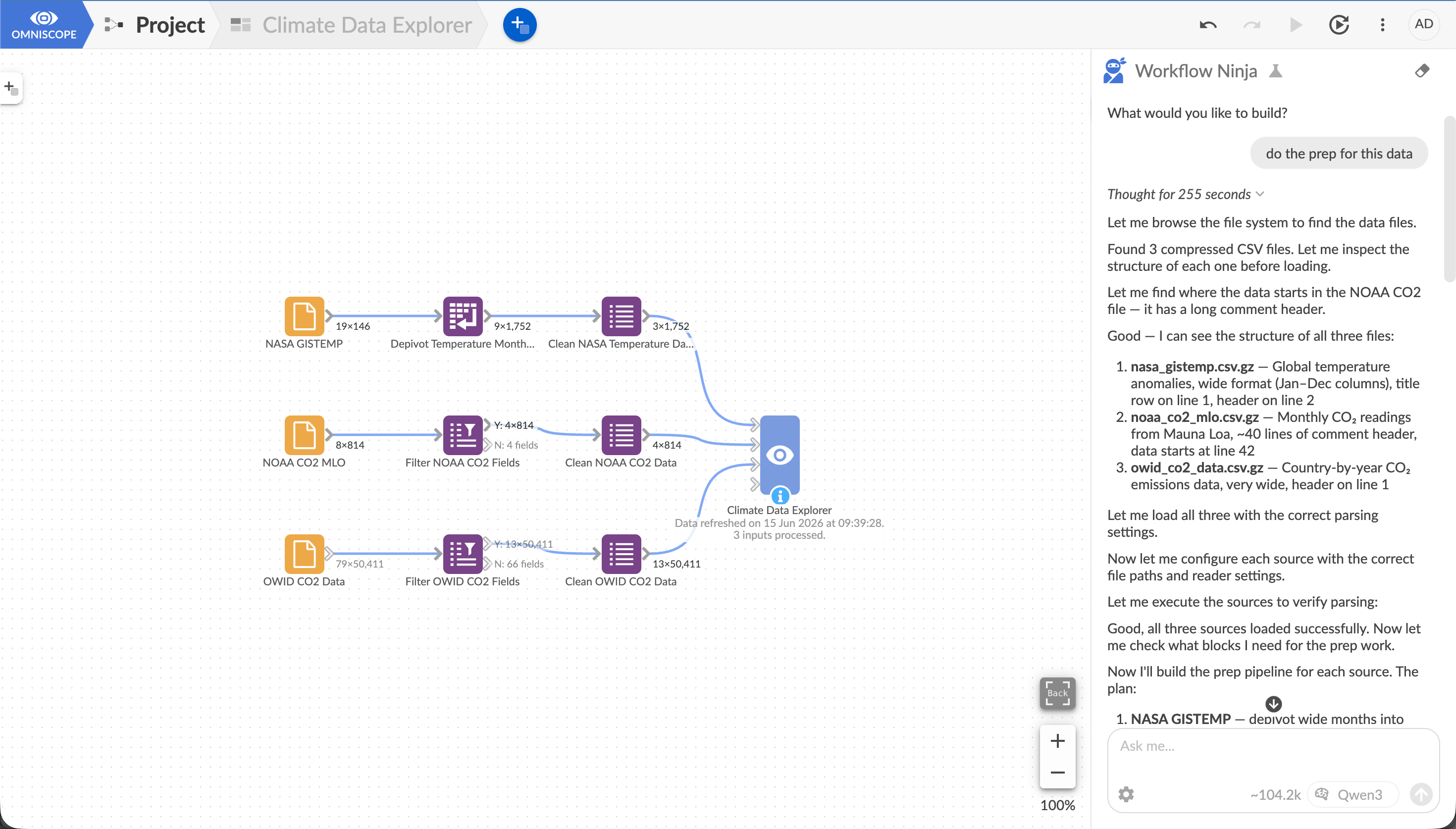
In June 2026 I put Codex inside a secluded Windows virtual machine and gave it access to Omniscope. From one request it prepared several related e-commerce tables, joined and aggregated them, calculated metrics and produced a flat table ready for a dashboard.
What made the setup interesting was the choice of tools. Codex could use our API and MCP server, talk to Workflow Ninja or Report Ninja, or open the browser and operate the Omniscope interface much as I would. Agent talking to agents, then deciding whether to use an API or point and click… at times it moved the experience from human-in-the-loop to human-in-the-middle, and eventually to “what am I even doing here?”
In July I pushed the test further with OpenAI Sol and Terra 5.6 in the Codex app. I asked the agent to author a small internal customer-success application covering customers, deals, renewals and activities. The application needed a proper system of record, so we designed a SQLite database with a structured schema and transactional writes. Omniscope handled the visible application, data preparation, validation, editing and reporting, with custom Python blocks and JavaScript views where they were useful.
The result was more than a codebase. I could inspect the workflows, transformations, formulae, forms, reports and database interactions. That is the point at which the governance question becomes practical: what may this agent do, through whose identity, against which data, and what state will it leave for somebody else to review?
What the agent actually does
The word agent can make the setup sound more mysterious than it is. The model works in a loop: it observes the request and available context, chooses a permitted tool, supplies arguments, receives a result or useful error, and decides what to do next.
The tools carry the real capabilities. In my VM test the agent could prepare data through Omniscope, author a report, call an API or use the browser. If the only available tool had been “run arbitrary code with unrestricted credentials”, that would have been a very different experiment.
Tool design matters as much as model intelligence. A brilliant model with a vague, overpowered tool is still an unsafe operator.
Start with identity
The July prototype gave the agent full authoring permission inside a secluded test environment. That was deliberate for the experiment; it is not the identity I would hand to every production agent.
In a real deployment the agent should act as the requesting user, a dedicated service identity or a narrowly scoped project account. A more consequential operation may need a separate approval-gated identity. A sales analyst does not gain access to payroll because the model happens to know how to query it.
Published report access needs the same care. The Query API documentation explains that access to report data can include the underlying data made available to that report. Building a safe published layer is part of the application design. It cannot be left for the agent to infer afterwards.
Give the agent bounded tools
During our June development work, Workflow Ninja could operate 138 existing workflow blocks through a 28-tool interface. Those numbers will change, but the shape is important: the agent was using capabilities already available to people, not inventing a parallel analytics platform behind the chat.
Compare these two contracts:
execute(command)
and:
aggregate(
  dataset,
  measures,
  dimensions,
  filters,
  sort,
  row_limit
)
The first gives away a mechanism and leaves most of the policy elsewhere. The second says what analytical operation is allowed, exposes its arguments and lets the platform validate the dataset, fields and limits before anything runs.
A useful catalogue can still be ambitious. It may let the agent inspect an approved schema, profile data, join or aggregate tables, configure known workflow blocks, query a published report, build a chart, run a named workflow or save a result into a project. The response should say what changed, which artefact was produced and whether a warning occurred, not merely “success”.
Separate data sharing from tool access
Permission to call a tool and permission to put data into a model context are related, but they are not the same.
An external model may be allowed to see a schema and request an aggregation without seeing the raw rows. A local model may be allowed sample data that cannot leave the organisation. Sensitive fields may need to be removed before the AI request is constructed.
I treat these as three separate controls:
- what the user may access;
- what the tool may execute;
- what data may be placed in the model context.
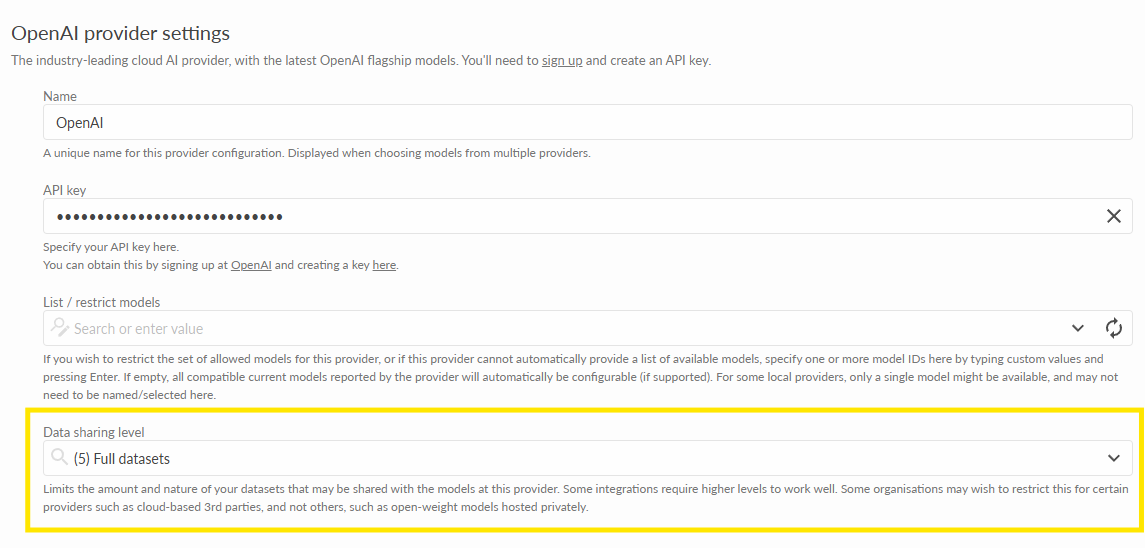
If these boundaries are collapsed into one switch, accidental exposure becomes much easier. The model cannot respect a rule it was never given, and a generic tool cannot enforce a policy it cannot see.
Make normal platform artefacts the result
After the customer-success experiment I could open what the agent had built. The operational flow remained visible: SQLite interactions, Omniscope workflows, validation, editable forms, formulae and report configuration.
That is more useful than a chat transcript telling me the task was completed. The workflow can run without the original conversation, a developer can extend it, another person can compare its method, and the project remains subject to the usual permissions and version history.
This is also why I prefer agents to operate mature tools. The agent does not have to recreate scheduling, reporting, data preparation and validation in generated code every time. It can use those capabilities and leave the normal artefact behind.
The June development account shows how this worked while Workflow Ninja was still in private alpha.
Preserve execution evidence
For a consequential run, the ordinary evidence matters: authenticated identity, project and data context, selected tool, validated arguments, start and finish time, status, source refresh and the project version or output that was produced. Existing server logs and version history cover much of this. We do not need to rename everything as a magical “agent audit system”; we need to connect the records well enough to reconstruct the run.
Versioning also has limits. It may restore an earlier project, but it cannot unsend a customer message or reverse every write to an external system. Those actions need their own controls.
Put approval at the consequence boundary
Approval for every read makes the agent irritating. Approval nowhere makes it dangerous. A practical policy can allow permitted schema inspection and temporary calculations automatically, save draft work into a versioned project, and then stop for approval before publishing, changing a canonical metric, writing to a system of record or sending an external message.
The exact line will differ by organisation. It should be decided before the agent reaches it, not during the incident review.
Treat errors as part of the interface
“Something went wrong” is poor feedback for both a person and an agent. The tool should distinguish invalid arguments, permission denied, unavailable sources, schema changes, failed data-quality checks, timeouts, oversized results and actions that require approval.
With a specific error, the agent can inspect the changed schema, reduce the query, revise the plan or ask the user. It should not be encouraged to route around a control simply because the control returned an unhelpful message.
This is one of the less glamorous advantages of using an established analytical system. Scheduling, validation, permissions, working copies and logs already exist. The agent gets to operate them instead of pretending they are unnecessary.
A minimum architecture
Before I would let an analytics agent do serious work, I would want:
- an authenticated user or service identity;
- a curated tool catalogue with bounded arguments, result size and run time;
- schema, metric and data-quality context appropriate to the request;
- an explicit policy for raw, sampled, aggregated and external-model data;
- normal project artefacts, logs and version history as the durable record;
- human approval at publishing and external-write boundaries;
- a named person responsible for the process.
Operating beyond the prototype
The July customer-success application was an internal prototype, obviously, not a production release. Production software still needs security, testing, deployment and operational discipline. I spent most of the experiment defining the problem, refining requirements and reviewing. I also asked the agent to write tests and used another model to review the code.
Still, the reduction in implementation time was real, and the model never tripped when it moved from MCP to the browser UI. Pretty incredible at this point, if still a bit slow.
That is the direction I want to keep testing: let the agent do ambitious work, but do not let the work disappear into a codebase or a chat history that nobody can properly inspect.